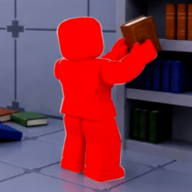
Getting Started in Clean The Library
Clean The Library is a cooperative Roblox sorting puzzle by Retro Library (project lead: StarMarine). The official game page describes a local library turned upside down — thousands of books scattered across two floors, and you cannot leave until every volume sits on the correct shelf in the right order. This Clean The Library beginner guide explains how to play from your first pickup through earning stat points and unlocking magic upgrades.
You can clean alone or with up to twelve friends, chase fastest times on the leaderboard, and spend stat points on abilities that speed up sorting. Books dropped on the floor now save progress after the June 2026 update, so accidental drops no longer wipe a long session. If you searched how to play Clean The Library, start here before diving into the map and zone codes or the book sorting guide.
How to Play Clean The Library — Core Loop
Every session in Clean The Library follows the same loop: pick up a scattered book, read its category tag, walk to the matching shelf section on the floor map, and place volumes in strict series order. When an entire row is correct, a blue glow appears at the top of the shelf and you earn stat points toward magic upgrades.
The game spans two floors with sixteen labeled sections total — ten on floor one (1A through 1J) and six on floor two (2A through 2F). Each section covers a Roblox-themed topic such as Horror, Simulations, Anime, or Brainrot. Your job is not just to fill empty slots; each row must contain the correct series in volume order 1, 2, 3, and so on.
| Step | What to do | Why it matters |
|---|---|---|
| 1 — Pick up | Press E or left click on a book; read the spine category tag | The tag tells you which map section owns that book |
| 2 — Check map | Open the in-game floor map and find the matching code (e.g. 1H for Horror) | Wrong section wastes trips across a huge library |
| 3 — Shelve in order | Place same-series volumes left to right: 1, then 2, then 3… | Out-of-order books block the blue glow even if the row looks full |
| 4 — Earn points | Complete glowing rows to gain stat points | Points unlock Sort, Assemble, Insight, and other magic abilities |
| 5 — Repeat & expand | Clear floor one sections, then unlock floor two | Progress percentage tracks how close you are to 100% completion |
Official Controls for Clean The Library
Before shelving your first row, learn the controls listed on the official Roblox game page. PC players pick up and place with E or left click, drop with Q, switch held books with the scroll wheel, and zoom with right click to read spine labels. Controller players use RT to pick up or place, B or O to drop, LT to cycle books, and the D-Pad to activate unlocked abilities.
You can carry up to five books at once. Use the scroll wheel or LT to cycle which volume sits on top of your stack before placing. Right-click zoom is essential when two covers look identical — always confirm the series name and volume number before walking across the library.
| Key | Action | Usage |
|---|---|---|
| E / Click | Pick up / Place book | Primary interaction for shelving books on PC |
| Q | Drop book | Release the book you are holding |
| Scroll | Switch top book | Cycle which book is on top of your stack |
| Right Click | Zoom in | Read spine labels and category tags |
| RT (Controller) | Pick up / Place book | Same as E on PC |
| B / O (Controller) | Drop book | Same as Q on PC |
| LT (Controller) | Cycle books | Switch held books on controller |
| D-Pad (Controller) | Abilities | Activate unlocked magic upgrades |
Best pairings for this guide
Matched by build plan, shared topics, and guide progression — not random related links.
Your First Shelf Row in Clean The Library
The tutorial area teaches the basics: pick up a book, open the map, find the correct shelf, and place it. Start with easy-to-spot volumes — white, lime green, or bright yellow spines stand out against the chaos. A popular early target is any short white-and-red volume with a clear volume number, because it is visible from across the room.
Match the category tag to a shelf code. For example, a book tagged Horror belongs in section 1H on floor one. Place every volume of the same series on the same row in order. When the row is perfect, a blue glow lights the shelf top and stat points drop into your upgrade menu.
A row that looks full but stays dark usually has a wrong volume, a missing book, or a mixed category — three different problems with the same symptom. See the how to sort books guide for troubleshooting blue glow failures.
Reading the Map and Shelf Codes
The in-game floor map is your primary navigation tool in Clean The Library. Each bookcase row displays a section code such as 1A (Studio) or 2E (Brainrot). Floor one holds Roblox platform topics — Simulations, Devex, Rules & Moderation, Obby / Parkour, Horror, Economy / Trading, and Roblox History among others. Floor two adds Magic, Anime, Meditation, Military, Brainrot, and Theme Parks.
When you pick up a book, the category tag names the theme directly — Moderation Notes maps to Rules & Moderation (1F), Brainrot maps to 2E on floor two, and Anime maps to 2B. If you are unsure, cross-reference the tag against the full Clean The Library map before making the climb to the wrong floor.
Co-op teams split efficiently by floor: one player handles 1A–1J while another clears 2A–2F. A shared dump pile near the entrance lets runners drop books for dedicated shelvers, cutting duplicate travel time across Clean The Library.
| Category tag example | Section code | Floor |
|---|---|---|
| Horror | 1H | Floor 1 |
| Rules & Moderation | 1F | Floor 1 |
| Simulations | 1B | Floor 1 |
| Devex | 1E | Floor 1 |
| Anime | 2B | Floor 2 |
| Brainrot | 2E | Floor 2 |
| Theme Parks | 2F | Floor 2 |
Stat Points and Magic Upgrades
Stat points in Clean The Library come from completing shelf rows — each correct row advances your library completion percentage and feeds the upgrade menu. There is no paywall for core magic; progression comes from shelving books, though optional Roblox gamepasses can accelerate carries or cooldowns.
Common abilities referenced across Clean The Library guides include Assemble (pull scattered books into one cluster), Sort (group a pile by color), Insight (highlight misfiled books on finished rows), Shelf Guide (locate the correct section without burning hint charges), and Auto-Shelving (batch-place organized stacks). Unlock order depends on how many rows you have cleared — see the best upgrades guide for a recommended path.
Most players unlock Assemble or Sort first because both cut walking time dramatically. Insight becomes valuable mid-game when one wrong volume hides inside an otherwise finished row. Auto-Shelving pays off late game on pre-sorted piles but can cause stuck shelves if cast on mixed stacks.
| Tier | Ability | Why upgrade |
|---|---|---|
| S | Sort | Groups a pile by color — highest throughput for mid-game sorting |
| S | Assemble | Pulls scattered books into one cluster — essential after co-op dumps |
| A | Insight | Highlights misfiled books before errors spread to neighboring shelves |
| A | Shelf Guide | Locates the correct section without burning hint charges |
| B | Auto-Shelving | Batch-places finished rows — best unlocked late on organized piles |
Save Progress, Rejoin, and Session Tips
Clean The Library saves shelf progress automatically. Completed rows stay completed when you leave and rejoin the same server. Books dropped on the floor also persist after the June 2026 update, so you can safely drop a stack to read a new tag without losing work.
If you cannot find one volume in a series, skip the row and work on another set. Chasing a single missing book for ten minutes costs more progress than clearing two easier rows elsewhere — the lost volume often turns up while you hunt a different color. This skip-and-return tactic is the fastest way through early Clean The Library sessions.
Press H in-game when truly stuck — hints point toward the correct section but draw from a limited pool. Pair hints with the find books guide and the zone tables instead of burning charges on every volume.
Co-op Basics for Clean The Library
Clean The Library supports cooperative play with up to twelve players in one server. Assign roles early: runners fetch books by color or floor, shelvers stay at assigned section codes, and one player can manage the central dump pile near the entrance.
Communication matters when five people carry books tagged for different floors. Call out category names aloud — “Brainrot to 2E” — instead of dropping silently. Assemble and Sort abilities shine in co-op because one cast reorganizes books that multiple runners contributed.
Solo players move slower but retain full control of upgrade choices and shelf order. If you prefer solo, prioritize movement upgrades and bright-cover routing before attempting floor two. Compare builds on the Clean The Library tier list.
| Role | Focus | Best for |
|---|---|---|
| Runner | Fetch books by color or floor; drop at central pile | Players who know the map layout |
| Shelver | Stay at one section code (e.g. 1H Horror) and place volumes in order | Detail-oriented players who read every tag |
| Auditor | Use Insight on finished rows to catch misfiles early | Mid-game sessions with many completed shelves |
Common Beginner Mistakes in Clean The Library
These mistakes stall progress in the first hour — each one maps to a fix in the guides linked throughout this walkthrough.
- Avoid01
Placing volumes out of order (3 before 2) and assuming a full row equals a complete row.
- Avoid02
Shelving a book in the right category but on the wrong row within that section.
- Avoid03
Starting with dark or black spines before learning the map — bright covers build momentum faster.
- Avoid04
Spending ten minutes hunting one missing volume instead of clearing two easier series.
- Avoid05
Unlocking Auto-Shelving before Sort or Assemble and casting it on mixed piles.
- Avoid06
Ignoring the floor map and guessing section codes from memory during your first hour.
- Avoid07
Trusting Steam Arcane Library guides for Roblox-specific shelf codes and ability names.
Play Clean The Library
Launch the experience from the official page: https://www.roblox.com/games/109881277752094/Clean-The-Library. Favorite the game on Roblox to receive update notifications when Retro Library ships new maps, sections, or balance changes.
From here, continue with the map guide for every section code, the sort books guide for blue glow rules, or the best upgrades guide once you earn your first stat points. Clean The Library rewards patience and pattern recognition — your second hour always runs faster than your first.
More guides that pair well
Matched by build plan, shared topics, and guide progression — not random related links.
Pick solo, 100%, speedrun, or co-op — get a stat point upgrade order.
Fits your library clear plan — Upgrade Planner covers the next step in that route
Clean The Library map — floor one and floor two shelf section codes.
Fits your library clear plan — Map & Zones covers the next step in that route
2–12 player role split templates with zone ownership and upgrade picks.
Shares co-op with what you just read