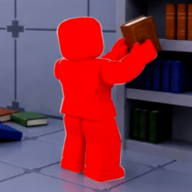
Why Clean The Library Stalls at 99%
Stalling at 99% completion in Clean The Library almost never means the game lost a book — it means one shelf row is wrong somewhere in the library. The completion tracker counts fully correct rows with blue glow. A single misfiled volume, wrong volume order, or mixed series blocks the final percentage point even when thousands of other rows shine.
Players describe this as a missing book problem, but the fix is usually diagnosis, not hunting a vanished volume. The book may sit on the wrong row, in your hand, on the floor near spawn, or in a co-op pile waiting for placement.
This Clean The Library missing book guide walks through a decision tree: dark shelf audit, volume gap check, section mismatch, and floor scatter search — in that order.
Dark Shelf vs Missing Book — Quick Diagnosis
Start every 99% investigation by finding shelves without blue glow that look full. Walk each wing systematically — floor one from 1A through 1J, then floor two from 2A through 2F. Dark tops on filled rows are your primary suspects.
Three root causes cover most stalls: wrong volume order (3 before 2), wrong series on the correct row (mixed editions or different titles), or wrong section entirely (Brainrot on a floor one shelf). A fourth case — genuine missing volume — means the book is still on the floor somewhere.
| Symptom | Likely cause | Fix |
|---|---|---|
| Row full, no glow | Wrong order or mixed series | Pull books, re-read tags, re-place 1→2→3 |
| Gap in volume sequence | Missing copy still loose | Search floor near section; skip and return |
| Wrong-section warning | Category tag mismatch | Pick up, check map code, re-shelve |
| 99% but many dark rows | Multiple misfiles | Insight sweep wing by wing |
| Extra book, nowhere to go | Duplicate or wrong edition | Find matching series row or swap edition |
Step-by-Step Missing Book Troubleshooting
Use this ordered checklist when Clean The Library freezes below 100%. Do not random-walk the library — follow the sequence so you do not re-break finished rows.
- Do01
Unlock or cast Insight — highlight misfiles on glowing and dark rows.
- Do02
Walk floor one: every 1A–1J row without glow gets a full spine read.
- Do03
Walk floor two: repeat for 2A–2F, especially Military and Horror wings.
- Do04
Check spawn area and co-op dump piles for stranded volumes.
- Do05
Press H on held stragglers to confirm section before placing.
- Do06
Verify volume numbers left to right — reorder before hunting new books.
- Do07
Re-run Insight after each fix before moving to the next wing.
Best pairings for this guide
Matched by build plan, shared topics, and guide progression — not random related links.
Missing Volume vs Wrong Volume
A missing volume leaves a visible gap in a series sequence — slots 1, 2, 4, 5 with slot 3 empty. The row stays dark until volume 3 sits in the third position. Search the floor within two aisles of that section first; dropped books persist after the June 2026 save update.
A wrong volume fills every slot but with incorrect numbering — 1, 3, 2 instead of 1, 2, 3. The shelf looks complete from a distance. Pull each book and confirm the printed number before assuming a copy is lost.
If one volume truly cannot be found after a floor search, skip the row temporarily and complete other series. Many Clean The Library players report the missing copy appearing while working a different color chain elsewhere in the library.
Wrong Section and Mixed Category Errors
Placing a book in the wrong section — Brainrot on floor one, or Simulations upstairs — may trigger an in-game warning on recent versions. Even without a warning, the row never glows. Pick up, read the category tag, and cross-reference the Clean The Library map.
Same section, wrong row is subtler: two Horror series both belong in 1H but on different shelf rows. Volume 5 of Series A sitting on Series B’s row blocks both rows from completing.
Identical titles must stay together on one row. Splitting copies across neighboring shelves mimics a missing book when the real issue is separation.
| Error type | Example | Detection |
|---|---|---|
| Wrong floor | Brainrot on 1G Obby shelf | Tag says Brainrot → needs 2E upstairs |
| Wrong row in section | Two series mixed on one row | Insight or manual spine read |
| Split copies | Same title on two rows | Row looks full but no glow |
| Edition mix | Alternate cover in sequence | Zoom spine — variant strip differs |
Using Insight and H Hints for Stuck Runs
Insight is the strongest tool for 99% Clean The Library stalls. It highlights misfiled books on completed and incomplete rows before errors spread. Unlock Insight mid-game if you have not already — see the best upgrades guide.
Reserve H hints for books you pick up during the audit whose category tag is ambiguous. Hints confirm section direction without wasting charges on every Horror spine during a systematic sweep.
Pair Insight with the sort books guide volume-order rules after each highlighted fix — one correction often unlocks multiple neighboring slots.
Co-op Missing Book Problems
In co-op, 99% stalls often trace to one player’s misfile that the team assumed was correct. Audit communal dump piles before blaming the game — stray Brainrot volumes mixed into a Simulations stack poison the next shelver’s trip.
Assign one auditor with Insight for the final push while others pause new pickups. Fresh eyes plus Insight catch rows veterans skim because they “look done.”
Voice-call every placement during the last 5% — silent co-op is the fastest route back to 98% after a wrong drop.
Extra Books With No Shelf
Sometimes Clean The Library gives you an extra book — a duplicate edition or a volume that belongs to a row you have not cleared yet. If H hints point to a section you thought was finished, re-audit that wing with Insight rather than forcing the book into the nearest dark slot.
Staging extras on the open floor near spawn is valid until you identify the correct series row. Never wedge an extra into a random gap to “clear inventory” — that creates the next 99% stall.
Zone Priority for Final Audits
When hunting the last misfile, prioritize sections with dark spines and dense series — Horror (1H), Military (2D), Magic (2A). Bright wings like Anime (2B) and Obby (1G) rarely hide the final error because players audit them repeatedly during early game.
Compare zone difficulty on the tier list and sweep hard tiers first during the 95–100% push. Use the find books guide floor scatter tips if the missing copy is loose, not misfiled.
| Section | Code | Audit priority |
|---|---|---|
| Horror | 1H | High — dark spines, order errors |
| Military | 2D | High — similar covers to Horror |
| Magic | 2A | Medium — long series rows |
| Rules & Moderation | 1F | Medium — many policy titles |
| Anime | 2B | Low — usually cleared early with glow |
Common Missing Book Mistakes
- Avoid01
Assuming 99% means one lost floor book instead of auditing dark rows.
- Avoid02
Re-placing books randomly until something glows — breaks other rows.
- Avoid03
Ignoring co-op dump pile contamination during final percentage.
- Avoid04
Using Auto-Shelving on audit stacks before manual order is confirmed.
- Avoid05
Skipping Insight unlock because early game “felt fine”.
- Avoid06
Forcing an extra volume into the nearest full row to empty hands.
- Avoid07
Trusting Steam Arcane Library shelf logic on Roblox section codes.
When You Hit 100% After the Fix
The final blue glow row triggers 100% and the Clean The Library! badge. See the 100% completion guide for milestone badges, session length expectations, and post-completion stats.
If percentage jumps to 100% but no badge appears, wait for the server to sync or rejoin once — progress persists. Persistent gaps after a full Insight sweep mean at least one dark row remains; restart the checklist from floor one.
Clean The Library is unforgiving at the finish line — one volume in the wrong slot mimics a missing book for hours. Systematic audits beat panic searching every time.
More guides that pair well
Matched by build plan, shared topics, and guide progression — not random related links.
Check off shelf sections and badge milestones — saved in your browser.
Log finished sections between sessions so you resume without re-walking wings
How to play Clean The Library — controls, first shelves, and stat points.
Fits your library clear plan — Beginner Guide covers the next step in that route
PC and controller keybinds from the official Roblox page.
Fits your library clear plan — Controls covers the next step in that route